
Goldex Casino Account Sign Up

Goldex Casino keeps account creation simple for Australian players, with a short registration form, AUD as a default currency option and a verification flow that typically clears within 24 hours. New users can sign up from desktop or mobile in under a minute using just an email, a password and a few personal details — then secure the account with optional Two-Factor Authentication before placing the first deposit. This page covers the full registration sequence, the login flow for returning players, KYC document upload, security setup and quick solutions for common access and verification issues at Goldex Casino.
How to Register at Goldex Casino Step by Step
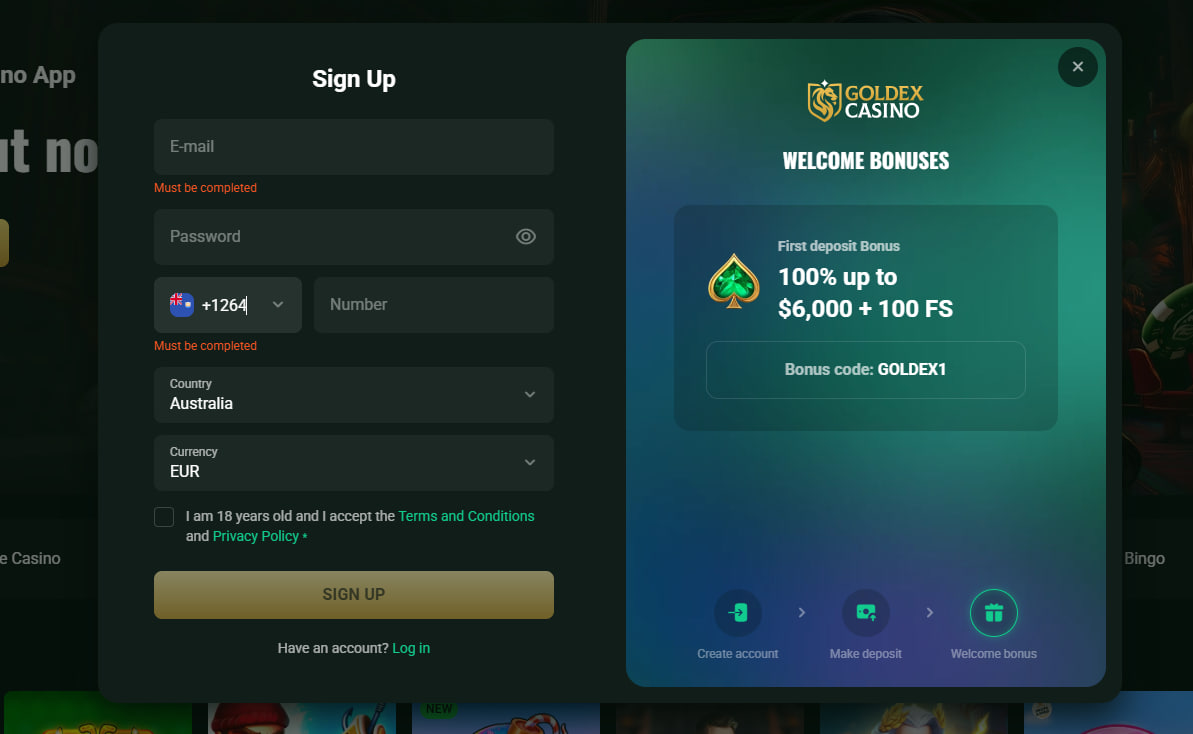
Goldex Casino registration is a short five-step form designed for fast completion. The process is identical on desktop and mobile, with the same fields, the same currency options and the same email confirmation step. The form is reached from the Sign Up button positioned in the top-right corner of every page on the platform.
- Open the Sign Up form from the top-right corner of any Goldex Casino page.
- Enter the required personal details — email address, mobile number and country of residence as Australia.
- Set AUD as the wallet currency and create a password of at least eight characters containing one letter and one number.
- Confirm the 18+ age requirement and accept the Terms & Conditions and Privacy Policy.
- Submit the form, then verify the email address through the confirmation link sent to the inbox.
Pre-deposit responsible gaming tools are accessible from the account dashboard once registration is complete. Australian players can configure deposit limits, loss limits, wagering limits, session reminders and cool-off periods before the first deposit is placed.
Goldex Casino Login for Returning Players
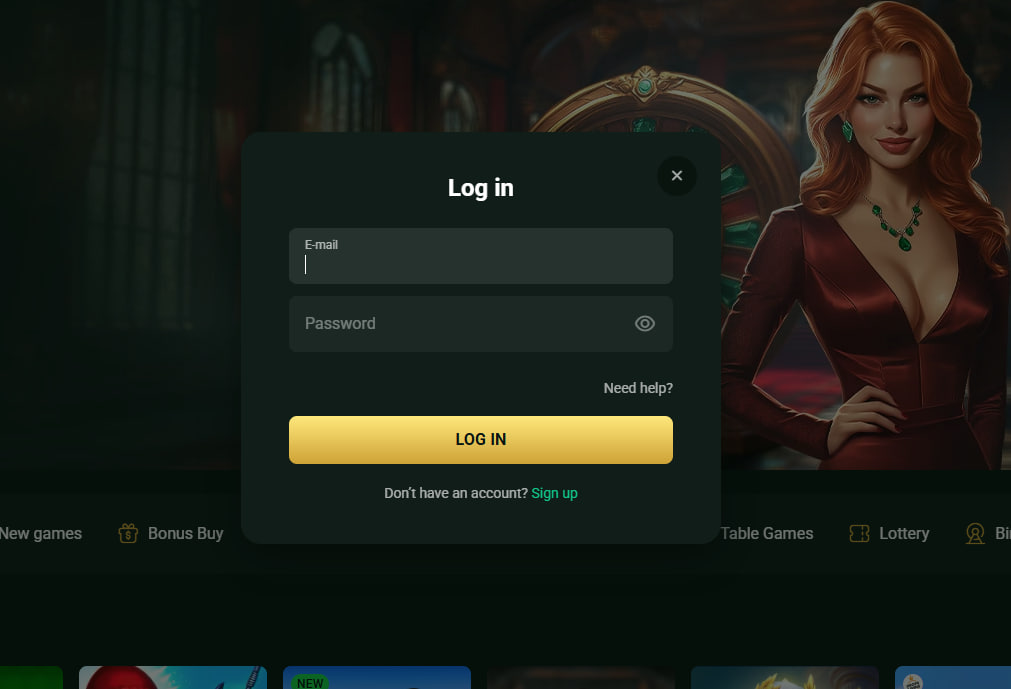
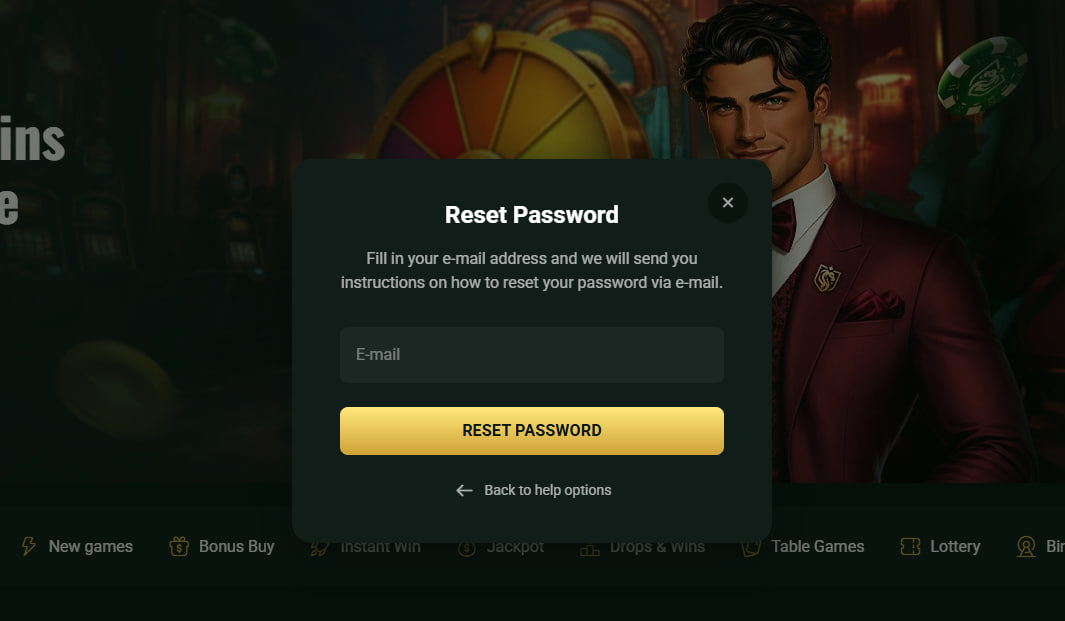
The standard Goldex Casino login uses the registered email address and password, with optional Two-Factor Authentication triggered on sensitive actions such as withdrawal requests or password changes. Forgotten passwords can be reset through the email-based recovery link, which arrives within minutes of the request.
- Open the Login form from the top-right corner of any Goldex Casino page.
- Enter the registered email and password used during registration.
- Approve the Two-Factor Authentication code when 2FA is enabled on the account.
- Complete biometric login on mobile via Face ID or fingerprint where supported.
Mobile sessions persist on trusted devices, and players who use the Goldex Casino mobile app gain biometric shortcuts that replace password entry on supported handsets.
Account Verification and KYC Documents
Goldex Casino requires KYC verification before the first withdrawal is processed, in line with standard anti-money-laundering practice on internationally licensed platforms. Documents are uploaded directly from the account dashboard and reviewed within 24 hours by the security team. Large wins or unusual deposit patterns may trigger enhanced verification, in which case the casino may request updated copies.
| Document Type | Accepted Examples | Quality Requirements |
|---|---|---|
| Identity | Passport, driver's licence, national ID | Colour photo, all four corners visible, details fully readable |
| Proof of Address | Utility bill, bank statement, government letter | Issued within the last 3 months, full name and address visible |
| Payment Method | Card screenshot, bank statement extract | Last 4 digits and cardholder name visible only — mask the rest |
A clear photograph taken in daylight, placed on a contrasting background, almost always passes on the first submission and avoids the back-and-forth that delays a first withdrawal.
Setting Up Two-Factor Authentication
Two-Factor Authentication adds a one-time code to login and withdrawal flows, sharply reducing the risk of account takeover even when a password is compromised. Goldex Casino supports the Google Authenticator and Authy apps for code generation, both available free on iOS and Android.
- Open the Security section of the account dashboard and select Enable 2FA.
- Scan the displayed QR code with Google Authenticator or Authy.
- Enter the six-digit code shown by the app to confirm pairing.
- Save the backup codes in a secure location for emergency access.
Common Login Problems and Quick Fixes
When access issues do occur, most can be resolved without contacting support. The Common Issues table below covers the most frequent scenarios reported by Australian players at Goldex Casino.
| Problem | Quick Fix |
|---|---|
| Wrong password | Use the password reset link and check the spam folder for the reset email |
| Account temporarily locked | Wait a few minutes and retry; for persistent locks, contact 24/7 live chat |
| 2FA code not arriving | Confirm the phone number and country code, then request a new code |
| Document rejected at KYC | Resubmit a colour photo with all corners visible and full details readable |
| Hotel Wi-Fi or VPN security flag | Switch to a trusted personal network and avoid VPN during login |
Any unresolved issue is handled by live chat, which is staffed 24/7 in English. Returning Australian players who simply want to deposit and play can claim a promo code on the Goldex Casino bonus page immediately after login.

Theodore Galloway
Theodore Galloway reports on offshore-licensed online casinos serving Australian players at goldexx-casino.com, focused on the Stable Tech N.V.-operated Goldex Casino under Curaçao Gaming Authority licence OGL/2024/161/0191 since its 2025 launch with dark-gold visual identity targeting AU/NZ/CA jurisdictions. Writes about 2,800+ catalogues (1,500+ pokies) from Pragmatic Play, Play'n GO, BGaming, NetEnt and Booming Games featuring Gates of Olympus.