
Goldex Casino Mobile App

The Goldex Casino mobile app brings the full game library, live dealer tables and AUD cashier to Australian players on Android, iPhone and iPad. Android users install a dedicated APK distributed from the official site, while iOS players add the platform to the home screen as a Progressive Web App through Safari. Both paths deliver biometric login, push notifications for promotions, full PayID and crypto deposits, and the same bonus mechanics available on desktop. This page covers download steps, system requirements, mobile cashier behaviour and answers to common questions about the Goldex Casino app on Australian networks.
App Features and Mobile-First Design
The Goldex Casino app runs on the same backend as the desktop platform, with no game library gap between channels. Every pokie, live dealer table and crash title available on the website also appears in the mobile lobby, and any bonus claimed on desktop carries over instantly to the mobile session.
- Full game library — 2,800+ pokies, live dealer tables, table games and crash titles
- Biometric login via Face ID on iOS and fingerprint on Android
- Push notifications for bonuses, tournaments and cashout approvals
- Complete AUD cashier including PayID, cards, e-wallets and cryptocurrencies
- HD live dealer streams optimised for 4G, 5G and Wi-Fi
- Bonus claim flow with promo codes GOLDEX1–GOLDEX4 from the mobile cashier
Download Goldex Casino for Android (APK)
Android players install Goldex Casino through a dedicated APK file distributed from the official site. Google Play does not list real-money gambling apps in Australia under platform policy, so APK installation via the device's Unknown sources setting is the standard route used across the entire iGaming sector.
- Open Goldex Casino in the mobile browser and tap the Download for Android button.
- Allow installation from Unknown Sources when the system prompts — found in Settings > Security or directly in the install dialog on Android 12+.
- Open the downloaded APK file from the Downloads folder or the browser notification.
- Tap Install and wait for the process to complete — typically under 30 seconds.
- Launch Goldex Casino from the home screen icon and log in with email and password.
The APK updates automatically through in-app prompts whenever a new version is released, so no manual reinstall is required between versions.

Goldex Casino on iOS — Add to Home Screen
iOS players use a Progressive Web App approach because Apple's App Store does not host real-money gambling apps in the Australian region. The PWA installs in seconds through Safari and behaves like a native app once added to the home screen, with the same icon, fullscreen experience and offline-aware caching.
- Open Safari and navigate to the Goldex Casino official URL.
- Tap the Share icon at the bottom of the Safari toolbar.
- Scroll down and select Add to Home Screen from the share sheet.
- Confirm the icon name and tap Add in the top-right corner of the dialog.
- Launch the new Goldex Casino icon from the home screen — Safari is no longer required for later sessions.
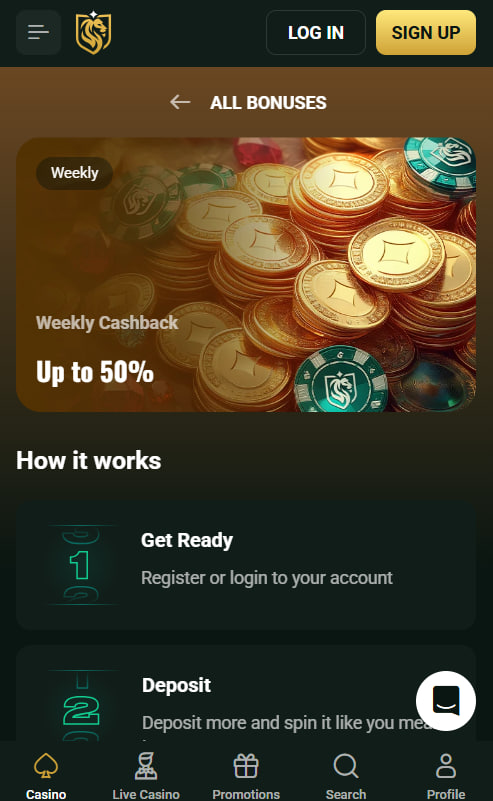
System Requirements and Network
The Goldex Casino app keeps a light footprint to stay accessible on mid-range devices. Both the Android APK and the iOS PWA are tuned for modern handsets but remain functional on hardware several years old.
| Platform | Minimum | Recommended |
|---|---|---|
| Android | Android 8.0, 2GB RAM, 80MB storage | Android 12+, 4GB RAM |
| iOS | iOS 14, iPhone 8 or newer | iOS 16+, iPhone 12 or newer |
| Network | 4G connection for live streams | 5G or Wi-Fi for HD live tables |

Mobile Cashier, Login and Bonus Claims
The mobile cashier mirrors the desktop layout exactly, with the same payment methods and identical processing times. PayID is the fastest deposit option for Australian players on mobile, settling instantly through the New Payments Platform. Biometric login removes the password step on returning sessions, and Two-Factor Authentication codes appear automatically when an Authenticator app is installed on the same device.
Bonus claims work identically across channels. Australian players who have not yet opened an account can complete Goldex Casino registration on mobile and apply GOLDEX1 directly from the mobile cashier. Full mechanics are documented on the welcome bonus page, and the entire game catalogue is browsable from the Goldex Casino lobby.

Theodore Galloway
Theodore Galloway reports on offshore-licensed online casinos serving Australian players at goldexx-casino.com, focused on the Stable Tech N.V.-operated Goldex Casino under Curaçao Gaming Authority licence OGL/2024/161/0191 since its 2025 launch with dark-gold visual identity targeting AU/NZ/CA jurisdictions. Writes about 2,800+ catalogues (1,500+ pokies) from Pragmatic Play, Play'n GO, BGaming, NetEnt and Booming Games featuring Gates of Olympus.